Updating or Re-verifying
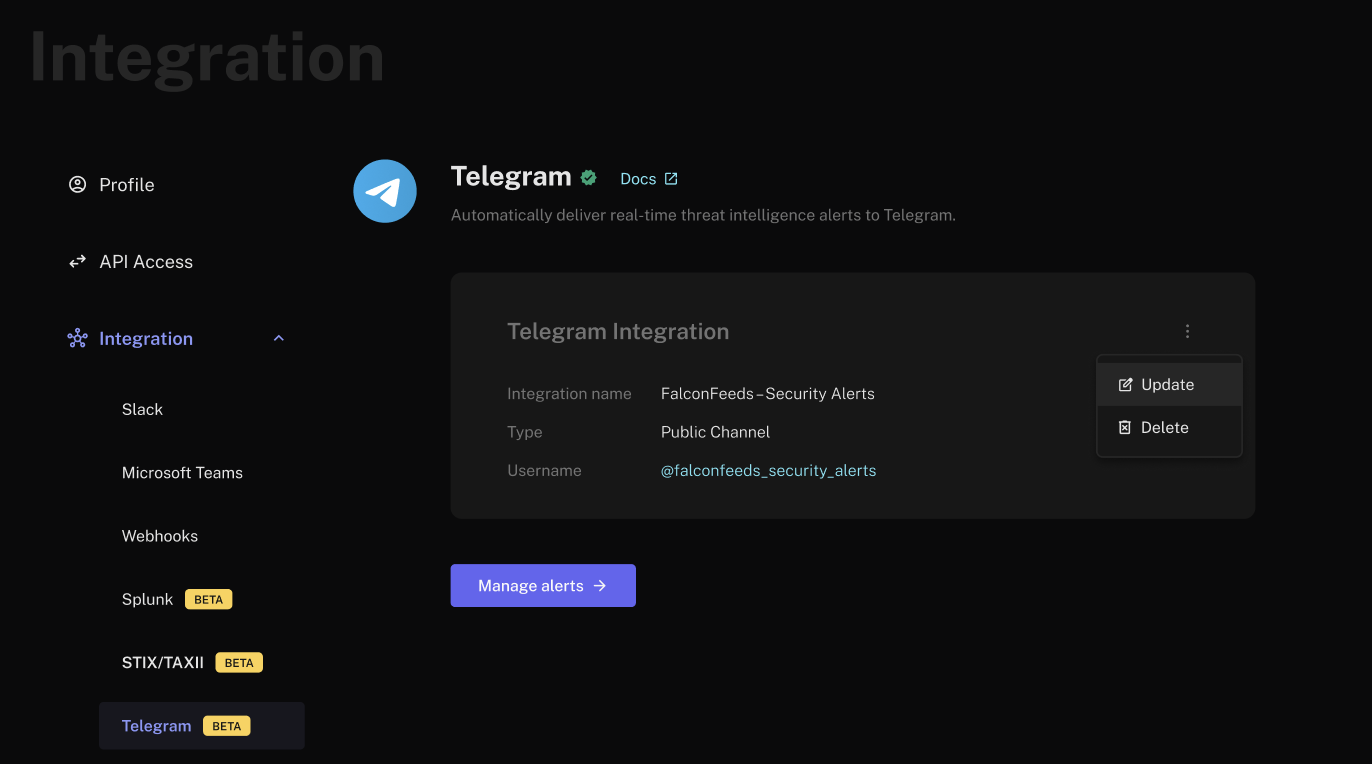
- Click the menu icon (three dots) next to your Telegram integration and choose Update.
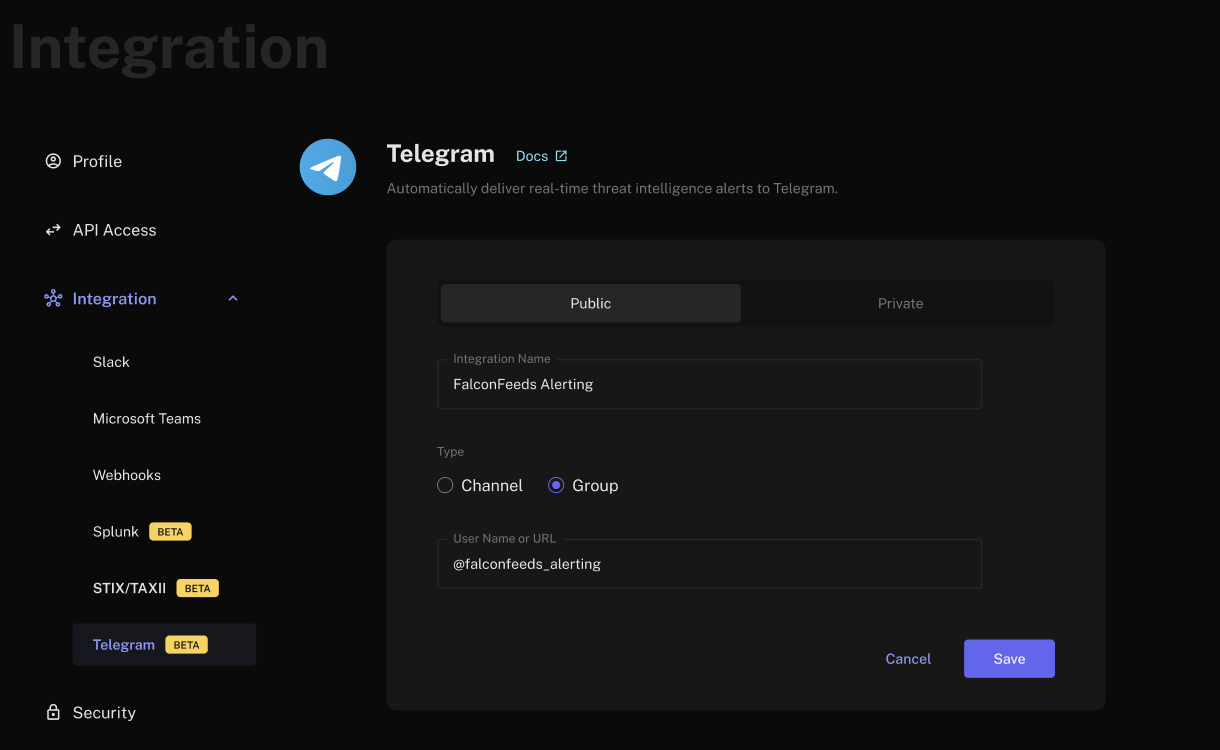
- Edit the Integration Name, Type, or destination (public username/URL for public, or keep the private configuration).
- Click Save, then complete Verification again as prompted.
Any update requires re-verification. Alerts remain disabled until manually re-enabled after verification succeeds. For channel and group integrations, the bot is removed if the public username changes or if the private integration is updated.
Deleting the Integration
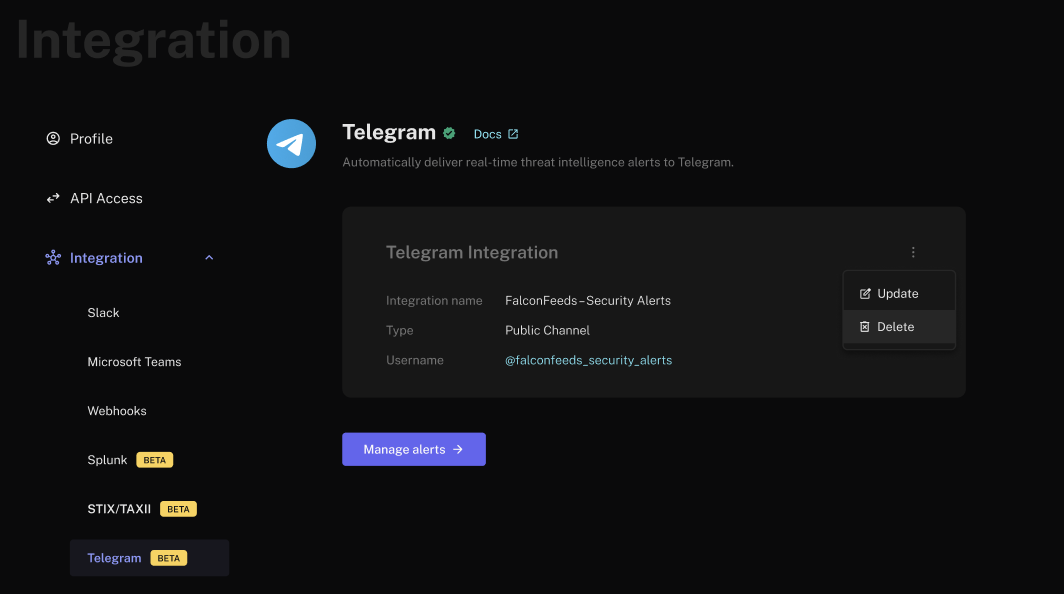
- Click the menu icon (three dots) next to the integration and select Delete.
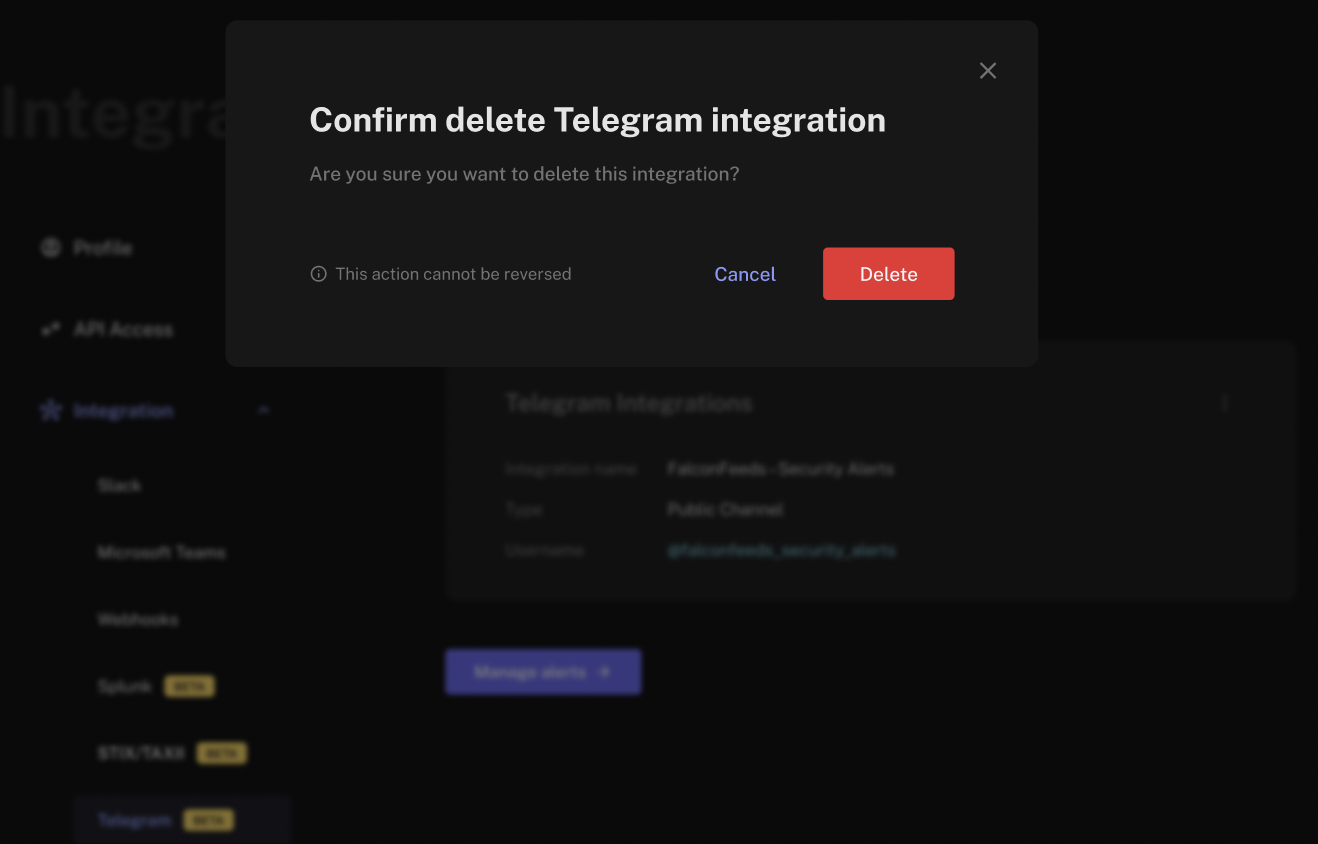
- Confirm in the modal by clicking Delete to remove the configuration and stop alerts.
Deleting the integration is irreversible. FalconFeeds will immediately stop sending alerts to your Telegram destination. The bot will be removed from the verified channel/group.