Creating a HEC Token
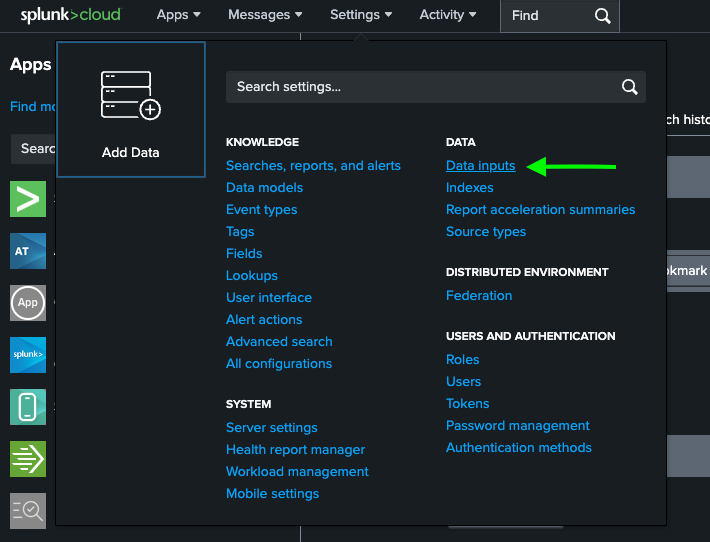
- In your Splunk instance, navigate to the main dashboard and select Settings → Data Inputs.
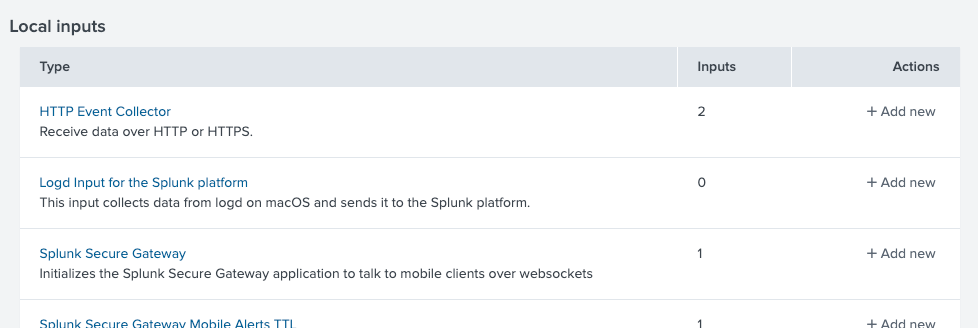
- Under Local inputs, select HTTP Event Collector.
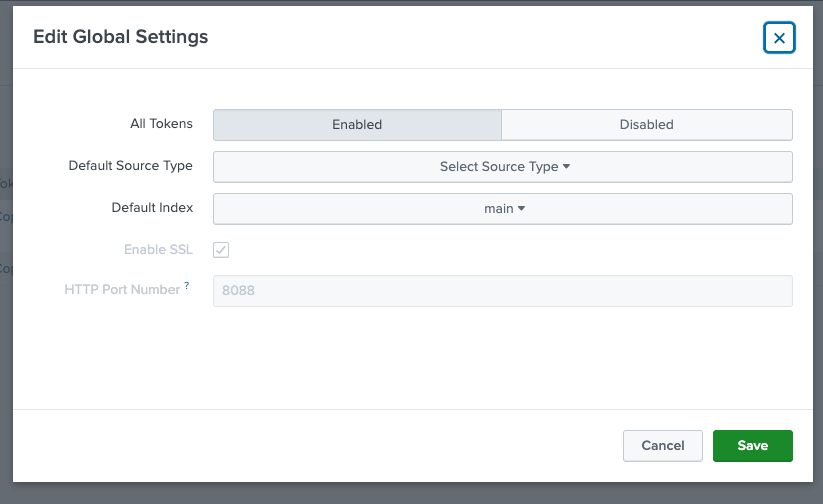
- Click Global Settings in the top-right corner.
- Ensure All Tokens is set to Enabled
- Note the HEC Port Number (the default is
8080) - Click Save
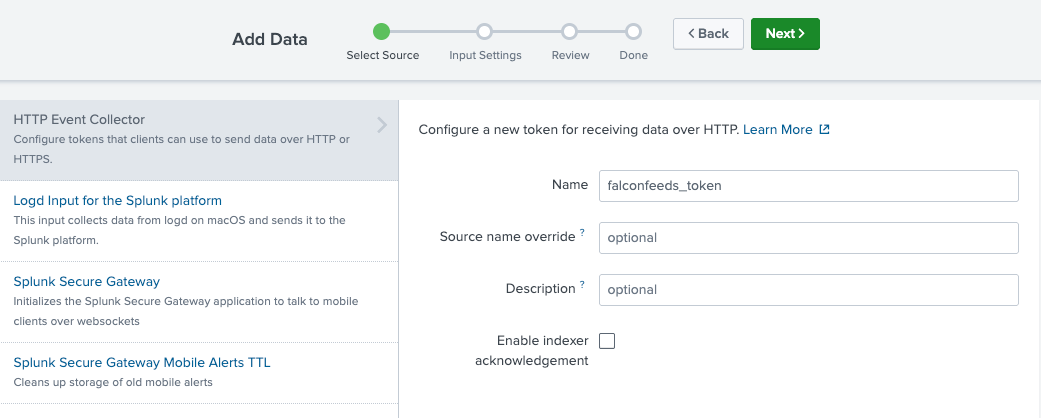
- Return to the HEC page and click New Token. On the Select Source step, provide a name for your token and click Next.
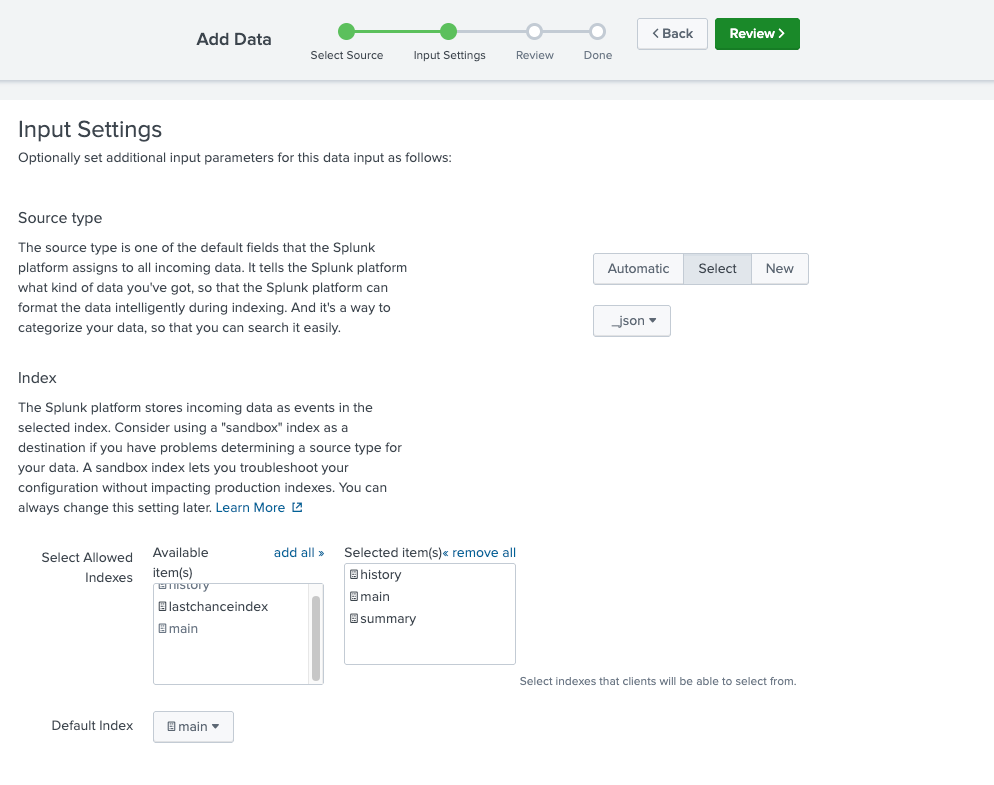
- On the Input Settings step, select a Source type. FalconFeeds sends JSON events - select a JSON-compatible source type or create a new one as needed. Then select the index where you want to receive events. Multiple indexes can be allowed.
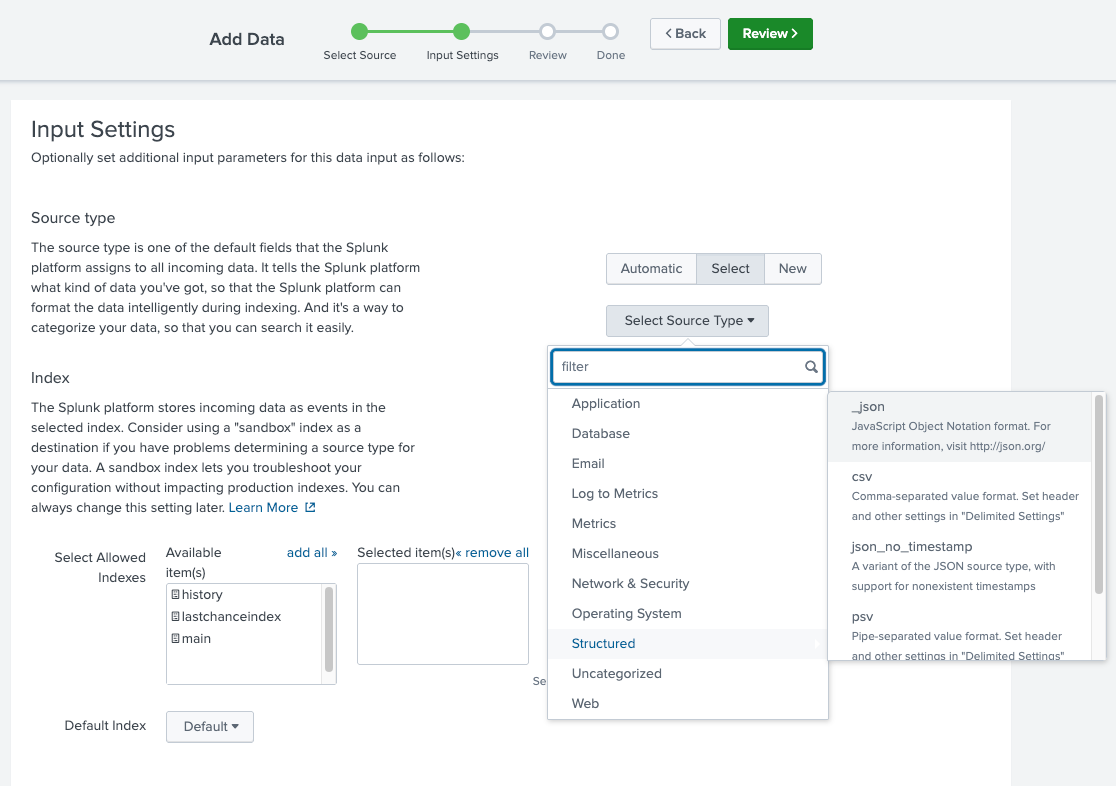
If no index is specified during integration, FalconFeeds sends events to the
main index by default.- Click Review and then Submit. Splunk will generate a token value - copy it for use in the next step.